
How to Troubleshoot a WordPress Theme Problem
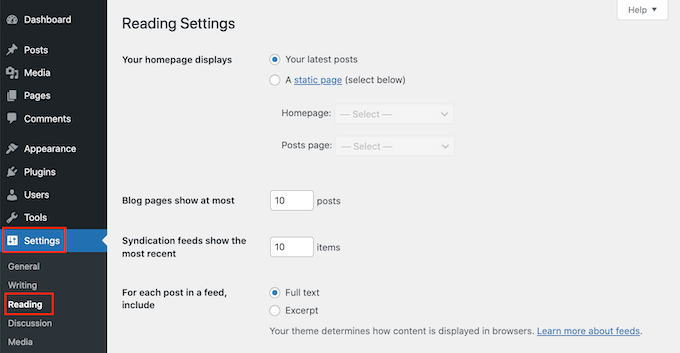
How to Troubleshoot a WordPress Theme Problem (Step-by-Step Guide) Whether you are dealing with a broken layout, a sudden White Screen of Death (WSoD), missing elements, or JavaScript console errors, theme-related issues are extremely common in WordPress development. Because themes handle your site’s styling, layout templates, and often custom functions via functions.php, an error inside […]
WordPress Update Broke Your Website? What to Do Next
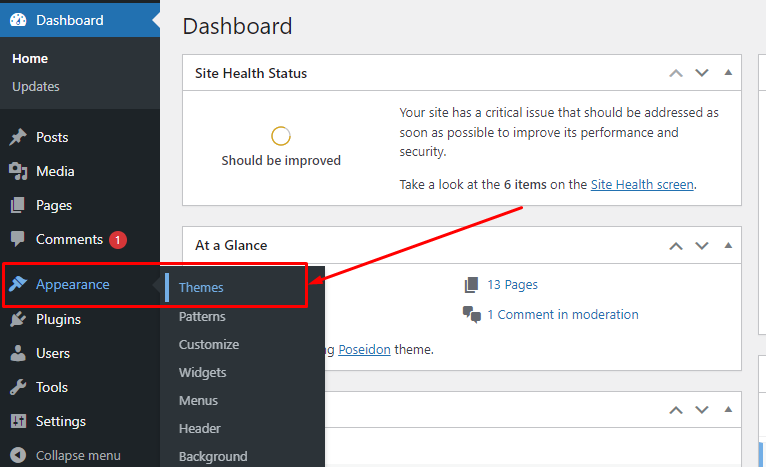
Updating WordPress core, plugins, or themes is essential for security and performance. However, clicking that “Update” button can sometimes lead to an unexpected nightmare: a broken layout, a locked dashboard, or the dreaded White Screen of Death (WSoD). If a recent update crashed your WordPress site, don’t panic. In most cases, your data and database […]
WordPress Admin Not Working? 10 Things to Check
Few things trigger instant panic like trying to log into your WordPress site, only to be met with a blank screen, a login loop, or an error message. When your WordPress dashboard stops working, your entire workflow comes to a grinding halt. Whether you’re dealing with the White Screen of Death (WSoD), forgotten passwords, or […]
WordPress PHP Fatal Errors: Common Causes and Fixes
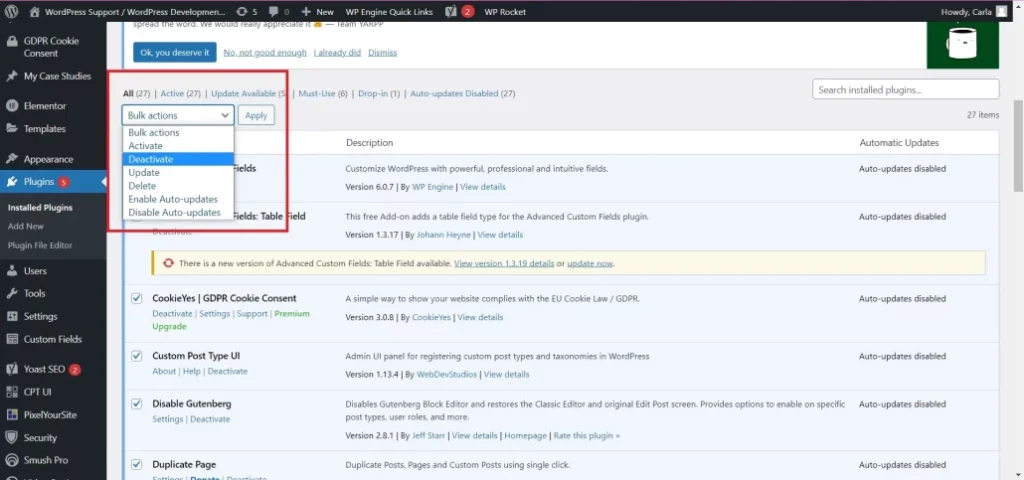
Encountering a PHP Fatal Error on your WordPress site can be terrifying. Usually, it results in the dreaded White Screen of Death (WSoD) or a blunt error message staring you in the face, abruptly locking you and your visitors out of the website. Unlike minor notices or warnings, a fatal error means PHP has hit […]
WordPress Debug.log Explained: How to Read Error Logs
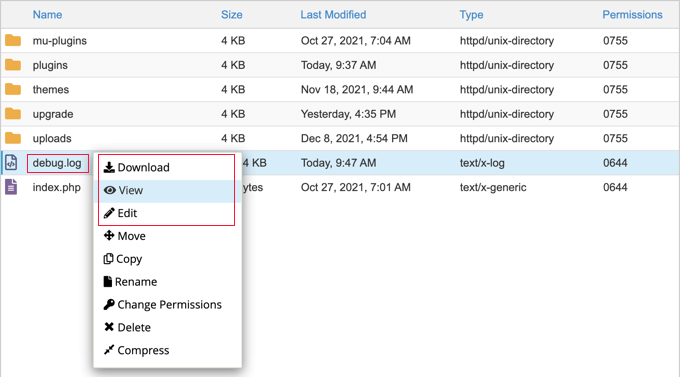
Aapke pichle article ki tarah is article mein bhi images, captions, headings, SEO title aur meta description shamil honge. Images ke liye JPG format use karne ki koshish ke bajaye, neeche article mein JPG image URLs diye gaye hain jahan available ho. Aap is article ko apni WordPress website ke post editor mein add kar […]
How to Enable WordPress Debug Mode Safely
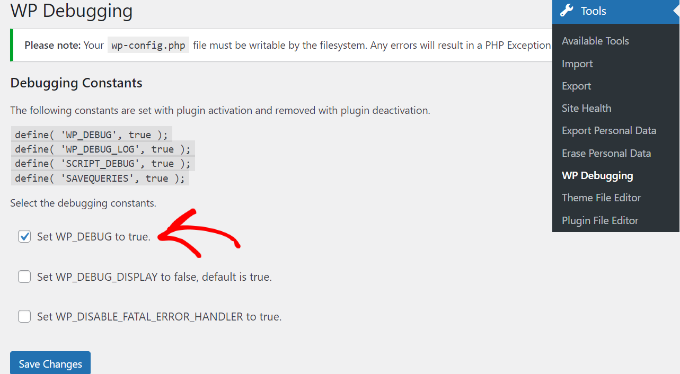
Aapke pichle article ki tarah is mein bhi complete English article, article ke andar relevant images, image captions, step-by-step instructions, FAQs aur SEO settings shamil hain. Images ke liye JPG format ko preference di gayi hai; neeche article mein aapko images ke saath unka placement bhi milega. What Is WordPress Debug Mode? WordPress Debug Mode […]
Why Your WordPress Site Shows a Critical Error
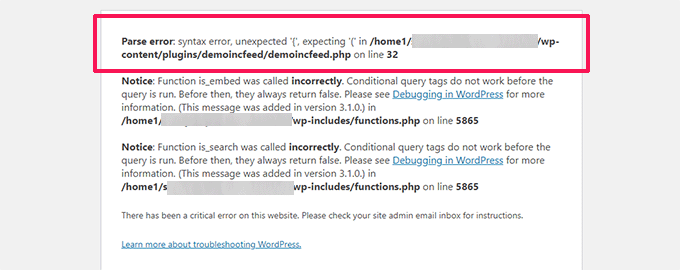
4 Have you ever opened your WordPress website and suddenly seen the message, “There has been a critical error on this website”? This can be frustrating, especially when your website was working perfectly before. A WordPress critical error usually means that something has gone wrong with your website’s PHP code, plugin, theme, or server configuration. […]
WordPress Plugin Conflict: How to Find the Problem Plugin
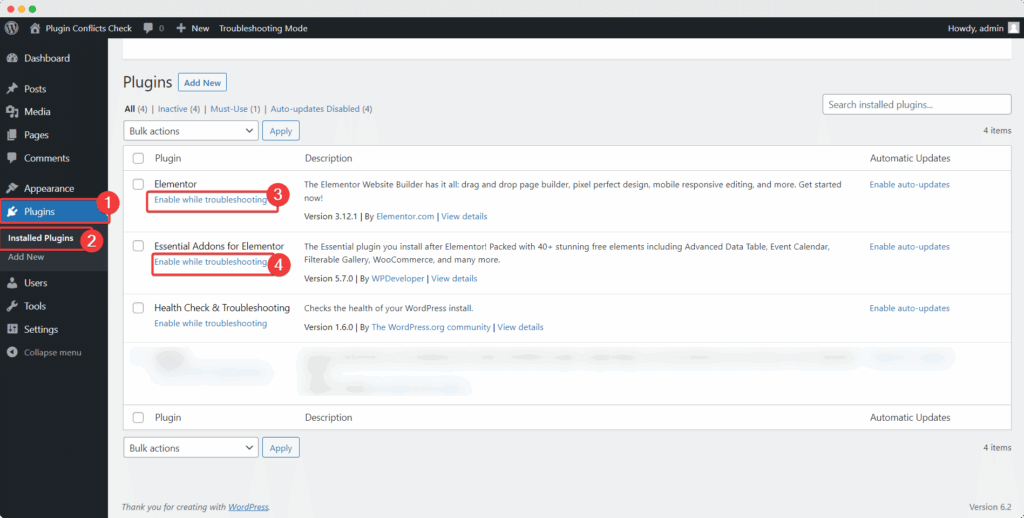
11 WordPress plugins make it easy to add features to your website, such as contact forms, SEO tools, security protection, online stores, and page builders. However, sometimes two plugins do not work well together, or a plugin conflicts with your WordPress theme or PHP version. This problem is known as a WordPress plugin conflict. It […]
How to Fix the WordPress White Screen of Death
6 Have you ever opened your WordPress website and seen nothing but a completely blank white screen? This frustrating problem is commonly known as the WordPress White Screen of Death (WSOD). It can affect your entire website, a specific page, or even the WordPress admin dashboard. In many cases, the cause is a faulty plugin, […]
WordPress Website Suddenly Stopped Working? Here’s What to Check First
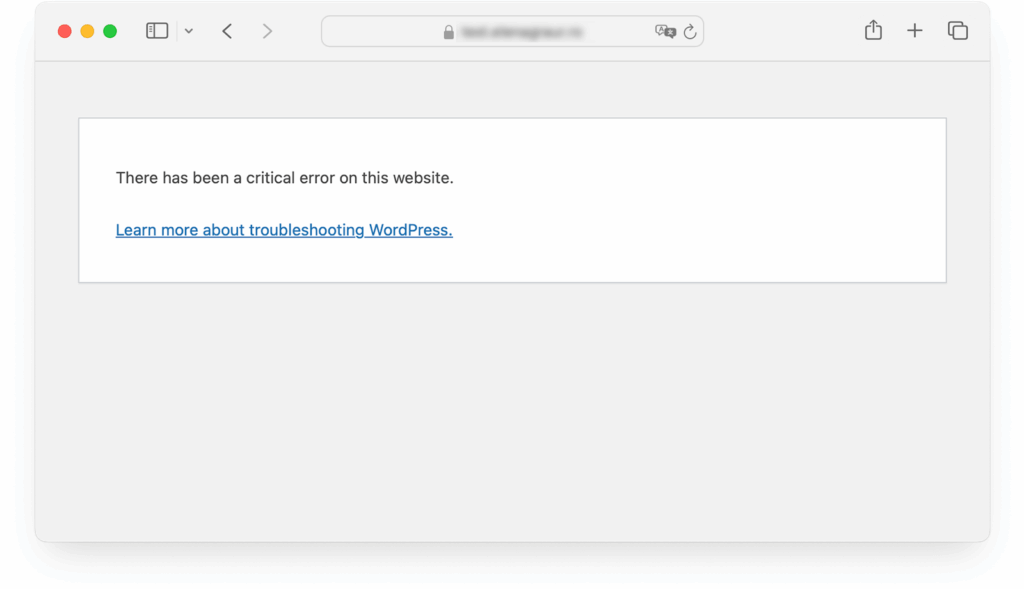
webnots.com Your WordPress website was working perfectly yesterday, but today it suddenly stopped working. Maybe you are seeing a blank white screen, a critical error message, a 500 Internal Server Error, or a website that refuses to load. This situation can be stressful, especially if your website generates leads, publishes content, or sells products. The […]